Marketing Hub. Content Hub. Sales Hub. Data Hub.
The names sound straightforward until your marketing team needs content, your sales team needs better data, and everyone wants to know where the AI fits.
You shouldn’t need to memorize a product catalog to figure out where to start.
In our first post, we explained hubs, seats, and credits. This time, let’s zoom in on the hubs and connect each one to the work your business needs done.
The quick answer: What do HubSpot’s hubs do?
HubSpot’s hubs group tools around different business needs, including marketing, sales, service, content, data, and revenue collection. Smart CRM connects the customer information those teams work with.
Start by identifying the problem you want to solve. Then evaluate which hub, edition, and features support that work. A hub’s name is a starting point, not a complete specification of what your subscription includes.
Which HubSpot hub should you look at first?
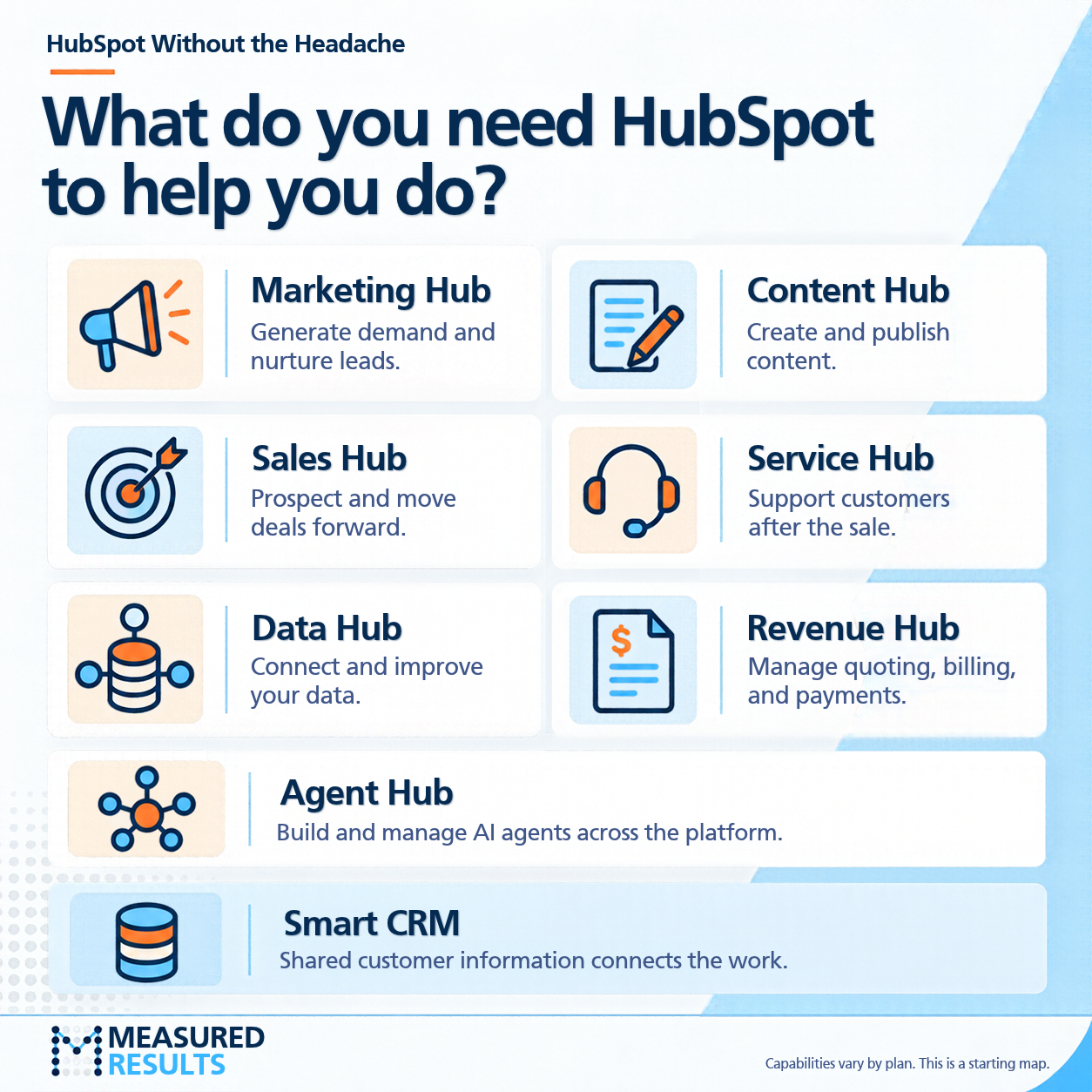
Use this as a starting map:
| If your business needs to… | Start by exploring… |
|---|---|
| Generate demand, run campaigns, and nurture leads | Marketing Hub |
| Create, manage, and publish website and marketing content | Content Hub |
| Prospect, manage opportunities, and move deals forward | Sales Hub |
| Handle customer support and manage customer relationships after the sale | Service Hub |
| Connect, organize, and improve the data your teams rely on | Data Hub |
| Manage quoting, billing, and payments | Revenue Hub |
| Build and manage AI agents across the platform | Agent Hub |
These are starting points for evaluation. Specific capabilities, access requirements, and limits depend on the product and plan.
Where do the hubs overlap?
Business processes rarely stay inside one department. The same is true of the tools supporting them.
A few distinctions help make the overlap easier to understand.
Marketing Hub vs. Content Hub
Think about running the campaign and creating the content that supports it.
Marketing Hub focuses on reaching audiences, capturing demand, and nurturing relationships. Content Hub focuses on creating and managing content experiences, including websites and blogs.
For example, publishing an educational article and building an automated follow-up campaign are connected activities. They still involve different capabilities. Marketing Hub overview · Content Hub overview
Sales Hub vs. Revenue Hub
Think about moving the opportunity forward and managing the commercial transaction.
Sales Hub supports the selling process. Revenue Hub focuses on quoting, billing, and collecting payment.
A salesperson may work across both. That doesn’t mean every salesperson needs every capability. Start with their responsibilities, then check the relevant subscription and access requirements. Sales Hub overview · Revenue Hub overview
Smart CRM vs. Data Hub
Think about the customer information teams share and the work needed to make that information useful.
Smart CRM connects customer records, activities, and relationships. Data Hub supports work such as connecting data sources, improving data quality, and preparing data for use across the business. Smart CRM overview · Data Hub overview
Having a CRM doesn’t automatically solve inconsistent fields or disconnected systems. Those problems deserve their own attention.
Where does AI fit?
AI capabilities operate across HubSpot. Agent Hub provides a central place to build and manage agents, but the requirements for a particular agent can still involve other subscriptions, user access, and credits. Explore Agent Hub.
The useful question is: “Which task do we want an agent to help with, and what does that task require?”
That keeps the conversation connected to the work.
See how it works: “We need more qualified sales conversations”
Imagine a business asks which hub it should buy to generate more qualified sales conversations.
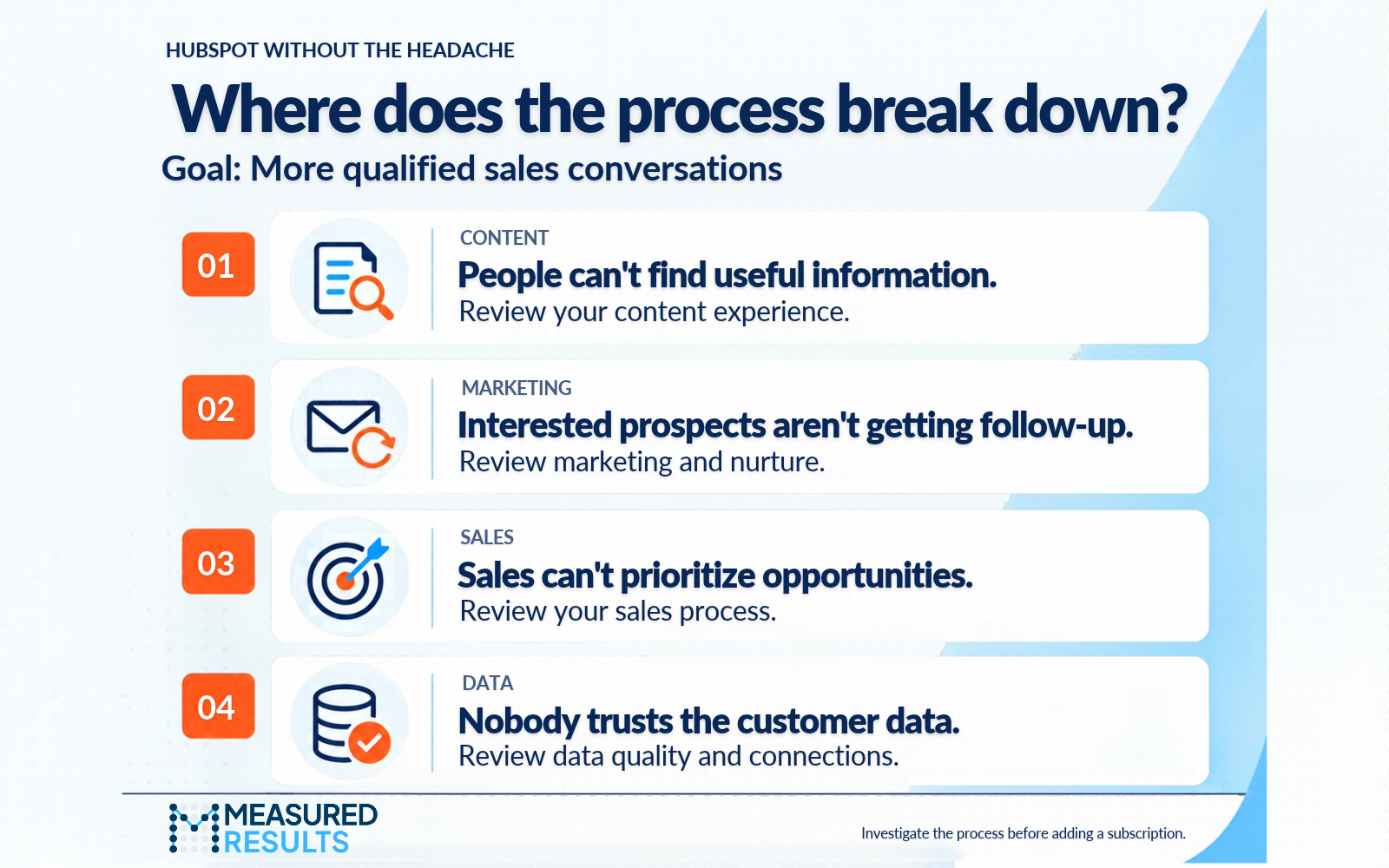
Look at four areas: useful content, timely follow-up, opportunity prioritization, and reliable customer data. Identifying where the process breaks down helps you decide which capabilities to evaluate.
Before adding another hub, check whether the tools you already have can solve the problem and whether they’re configured to do so. A clearer handoff or more consistent use of existing features may be all you need.

Professor Yeti’s Takeaway
Describe the job before choosing the hub.
Try finishing this sentence:
“We need to help [team] do [specific task] so that [business outcome].”
For example: “We need to help marketing follow up with demo requests so sales receives better-prepared prospects.”
That gives you something concrete to evaluate against your existing HubSpot setup.
Need help connecting the dots? Measured Results can help you identify the capabilities you need and make better use of the ones you already have.
Information in this article was accurate as of October 27, 2026. HubSpot’s products, packaging, and pricing may change and can vary by subscription. For the latest details, visit the HubSpot Product & Services Catalog.