
Your support team wants to try HubSpot’s Customer Agent on live chat. You have credits in the account, but how far will they go? The answer depends on what HubSpot counts and how often it happens.
In this installment of HubSpot Without the Headache, Professor Yeti shows how to estimate credit usage before turning on a tool and what to check if you’re approaching your limit.
The quick answer: What are HubSpot Credits?
HubSpot Credits measure how much you use certain features. A feature uses credits when it performs a specified action or runs a recurring activity. Eligible plans include a monthly allowance, and any unused credits expire when your usage period resets.
A seat helps determine who can use a tool. Credits cover the work the tool performs when that work is metered. For a tool that uses credits, check both access and usage capacity. HubSpot hubs, seats, and credits explained
How many HubSpot Credits do you get?
Start with the allowance shown in Account & Billing → HubSpot Credits. Look for the monthly amount, how much you’ve already used, and the reset date. Check usage by feature to see which tools are drawing from the balance.
Under standard pricing, included allowances depend on your products and editions. If you subscribe to multiple products, HubSpot applies the highest eligible allowance. Flexible Seats-and-Credits Pricing has its own allowances and rate sheet. Match the documentation to your subscription before using an allowance you saw in an example.
What uses HubSpot Credits?
HubSpot charges credits when a tool performs an action listed for your pricing model. To forecast usage, identify the feature, the action HubSpot counts, and how often it will happen. A support conversation can involve several messages but count as one resolution. A prompt applied to 500 CRM records can produce 500 separate billable results.
What uses credits under both pricing models?
The two rate sheets list many of the same actions. Here are examples that show how differently HubSpot can count the work. Rates were checked November 17, 2026.
| Feature | What HubSpot counts | Example rate |
|---|---|---|
| Customer Agent in a text channel | A conversation that HubSpot counts as resolved | 50 credits per resolution |
| Customer Agent voice (beta) | Time spent in a voice conversation | 50 credits per minute |
| Data Agent | One prompt result for one CRM record | 10 credits per result |
| Prospecting Agent | Personalized outreach generated for a lead, including manually enrolled leads | 100 credits per lead for the outreach action listed in the rate sheets |
| Buyer Intent | Adding or monitoring a company through a listed intent action. Monitoring can recur monthly. | Check the rate for the specific action. |
Both rate sheets also list Breeze workflow actions, certain Data Studio uses, and several agents in beta. Custom agents and Work agents, for example, are metered in action units, which reflect the work the agent does. Use the setup test to estimate how many units the task may require. Data Studio rates can differ by model and dataset size.
Watch for recurring and bulk activity. For a smart property that uses an AI prompt to fill a CRM field, 500 records at 10 credits per result would use 5,000 credits for that run. For a list of companies you monitor month after month, include the recurring usage in your forecast. Prospecting Agent can also use separately metered custom signals, so check those settings when estimating a play.
What changes under Flexible Seats-and-Credits Pricing?
Under this model, routine work can draw from the same balance as AI agents. Check these categories even if your team is doing exactly the same work it did before a pricing change.
- Email sends. Marketing campaigns, automated reminders, surveys, and transactional emails sent by HubSpot can use credits. One-to-one emails sent from a connected or hosted inbox are excluded. An email sent through a workflow can incur separate usage for the workflow action and the email send.
- Workflow executions. A workflow action is an individual step that runs, such as updating a property. HubSpot lists branches, delays, and go-to actions as exceptions. Email sends and general workflow actions have volume-based rates. Eligible accounts can purchase dedicated capacity packs, with additional usage above pack capacity drawing from credits.
- Other usage. The supplement also lists templated WhatsApp messages, calling minutes above included capacity, additional analysis of conversational records, accepted quotes, custom events beyond included capacity, and answers generated from tracked prompts in HubSpot AEO. Check each action for availability and applicable limits.
Example. Suppose a workflow sends one email to each of 100 contacts. If those executions and sends fall within the first volume tier and no dedicated capacity pack applies, the published rates are 3 credits per workflow action and 15 per email send. Those two events alone would use 1,800 credits. Any additional metered steps in the workflow would add to that estimate.
Check the current rate for your account in HubSpot’s published sheets. Standard rate sheet · Flexible pricing rate sheet
Which activities can you do without using credits?
- Breeze Assistant. HubSpot documents everyday assistance, such as asking for help drafting copy, as available without using credits. Generating a piece through the separate Content Agent has its own rate-sheet entry.
- Standard contact and company enrichment. HubSpot’s enrichment guidance distinguishes filling standard CRM fields from using a smart property to generate a custom answer. The latter can use credits.
- Data Studio reporting. Both rate sheets exempt using a dataset in a report. Certain uses in workflows, segments, CRM syncs, or exports can use credits.
Where can you check whether an action uses credits?
Look for the credit indicator next to the feature or action. Then use the rate sheet for your account to check the unit and rate. Once the feature is running, open Account & Billing → HubSpot Credits → Manage usage by feature to compare your estimate with recorded usage. HubSpot’s guide to credit indicators and usage
Source: HubSpot Knowledge Base. HubSpot’s examples of credit indicators.
What happens if you run out of HubSpot Credits?
Check your pricing model, billing settings, and any limits your team has set. Your monthly allowance is the number of credits included or purchased for the period. A usage limit controls how many credits the account or a feature can use.
| Situation | What to expect |
|---|---|
| Standard pricing with included credits only | Credit-using features pause when you exhaust the allowance. They can resume when it resets or you add capacity. |
| Standard pricing with a capacity pack and auto-upgrade enabled | Usage beyond your allowance can move you to a larger monthly pack for the rest of your commitment term. |
| Standard pricing with pay-as-you-go enabled after buying added credits, or Flexible pricing where pay-as-you-go applies | HubSpot bills for extra credits used during the period. Your monthly allowance returns to its usual level at reset. |
For Flexible Seats-and-Credits accounts, HubSpot’s general management guide describes a pause when your account has only included credits and pay-as-you-go after buying additional capacity. Its migration FAQ also describes automatic overage billing for transitioned accounts. If your account migrated, check your billing settings and migration terms for the behavior that applies to you. Flexible pricing billing guidance · Migration FAQ
An account-wide spending limit caps credit usage across tools. A feature limit caps what one tool can consume from the shared balance. HubSpot also documents limits for individual actions within Buyer Intent and Customer Agent. Before relying on an agent for customer service, confirm where new conversations will go if it pauses.
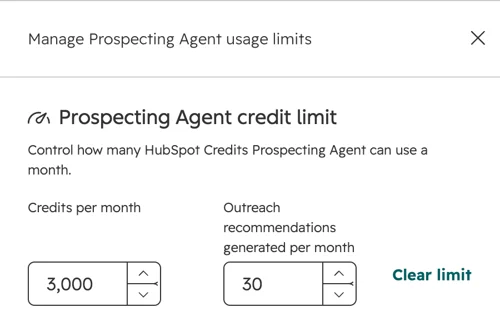
Source: HubSpot Knowledge Base. How to set a feature credit limit.
See how it works: “How many credits would a Customer Agent pilot use?”
Imagine you’re testing Customer Agent on live chat for common support questions. You expect it to handle 80 conversations in a month. For planning, you assume HubSpot will count half as resolved. That gives you 40 expected resolutions.
HubSpot currently lists 50 credits per resolved text conversation. At that rate, 40 resolutions would use 2,000 credits. For resolutions based on the agent’s replies, HubSpot checks the conversation 72 hours after the visitor’s last reply. It looks for a reply that shares a source or performs an action, with no qualifying handoff within that window. A visitor asking for a person can qualify as a handoff. A teammate manually reassigning the conversation does not automatically qualify. Use the agent’s resolution report to validate the forecast.
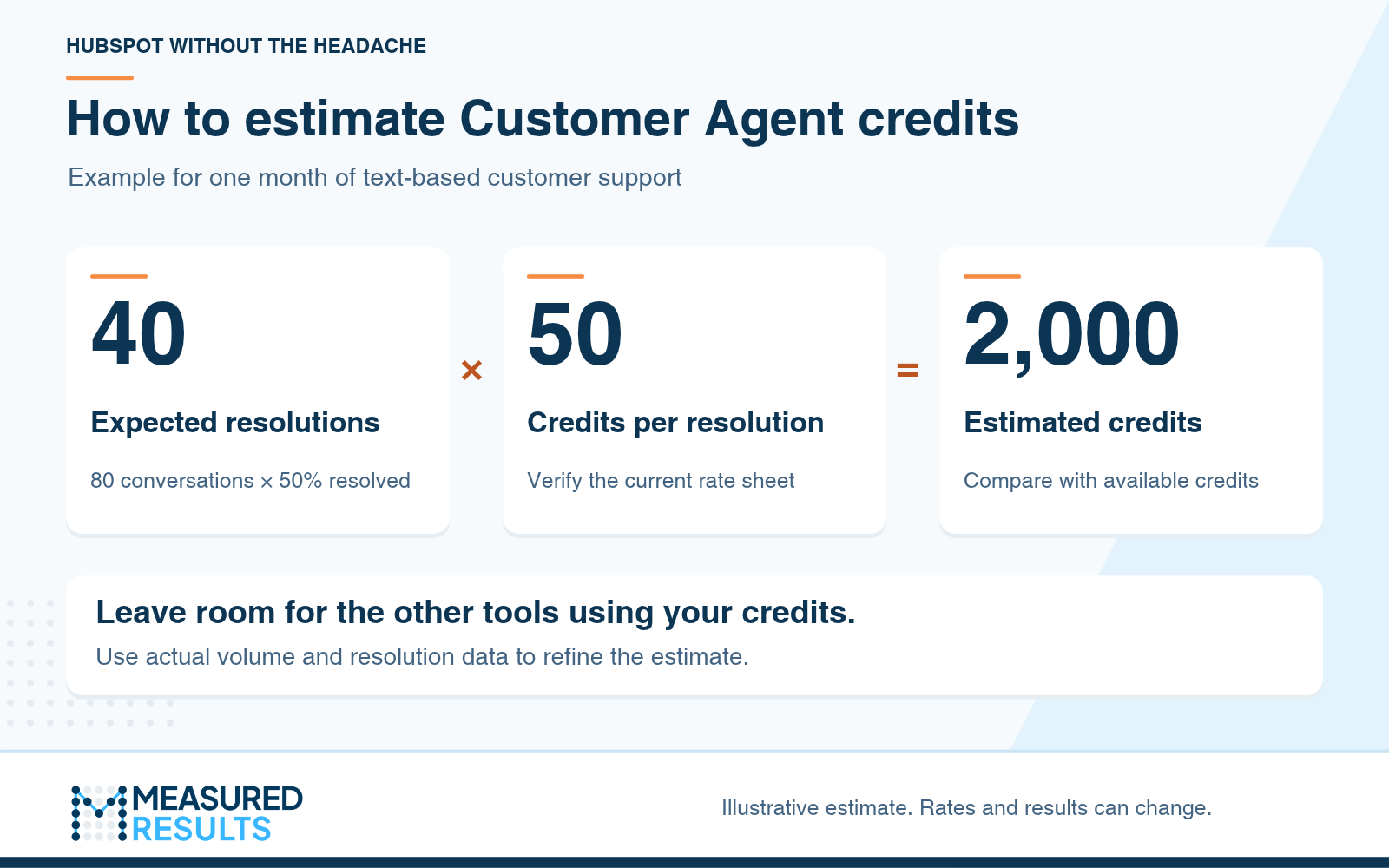
Illustrative Customer Agent estimate for one month of text-based support. Use your own volumes and verify the rate for your account. Graphic by Measured Results.
Suppose you expect 2,500 credits to be available after accounting for other tools. Your pilot estimate leaves 500 credits of room, enough for another 10 resolutions at the example rate. If live chat is busier than expected, that room can disappear quickly.
This estimate covers text support outside any free access period. If the rollout also uses voice or lead qualification, budget those actions separately using the applicable rate sheet. HubSpot’s standard catalog now lists separate beta rates for partial and full lead qualification. The flexible supplement does not list those same rows, so confirm applicability for your account before forecasting that use case. Customer Agent resolution and handoff rules
Start with one channel and review usage alongside the results. Are the answers accurate? Can customers reach a person when they need one? Compare the actual number of counted resolutions with your forecast before expanding the pilot.
What should you check before turning on a tool that uses credits?
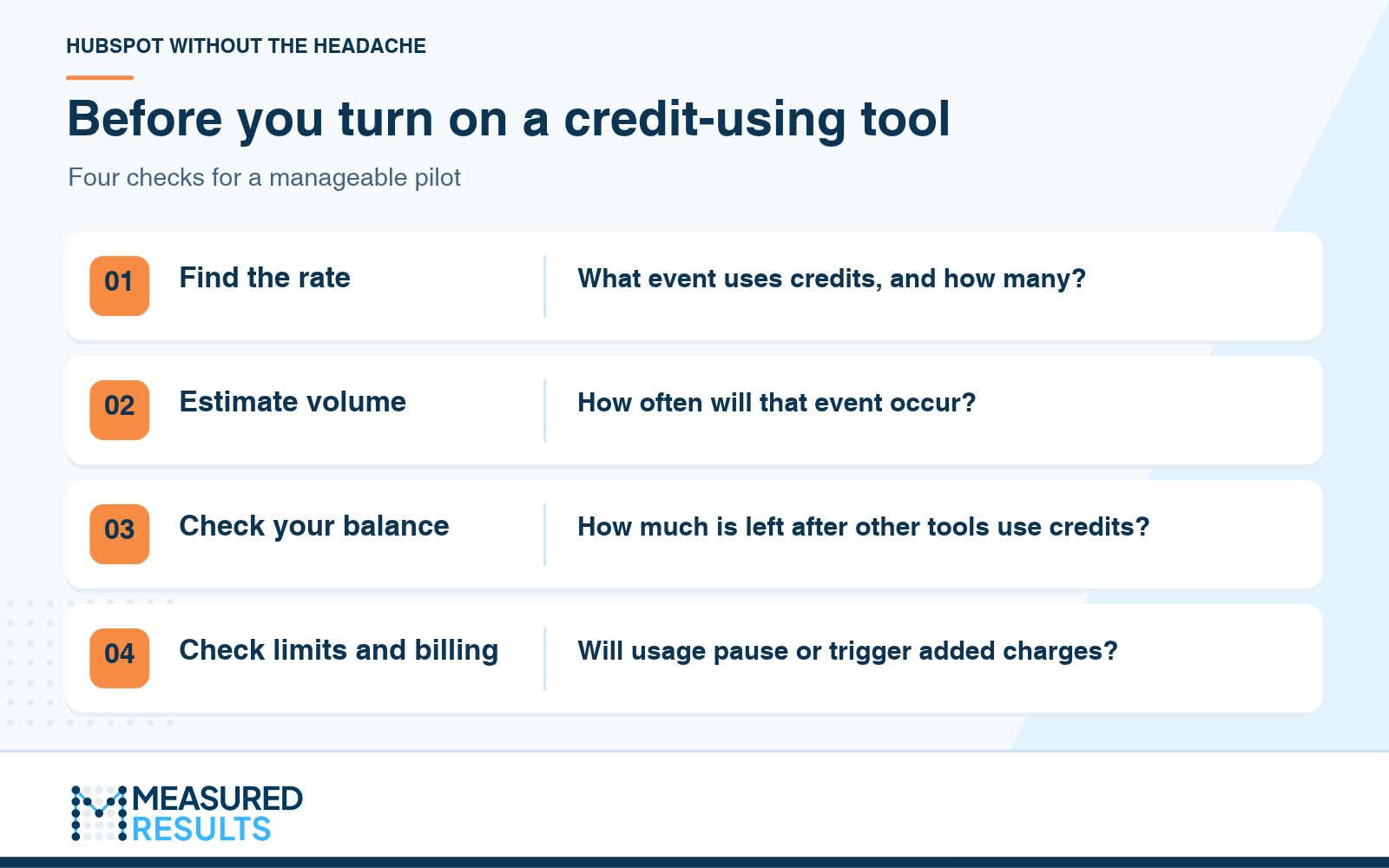
Check the rate, volume, balance, and billing behavior before you launch. Graphic by Measured Results.
- Find the rate. Identify the event that uses credits and how many credits it consumes.
- Estimate volume. Count the events you expect during one usage period. Include scheduled and repeated activity.
- Check your balance. Allow for the credits other tools are likely to use during the same period.
- Check limits and billing. Confirm where usage would pause, when it could result in added charges, and who will monitor it.

Professor Yeti’s Takeaway
Pick one job and estimate what it will use. Then run a small pilot, compare your forecast with actual usage, and decide whether the results justify expanding it.
Measured Results can help you choose a pilot, configure the handoff, and review what the tool delivers for the credits it uses.
Further reading from HubSpot
- Manage HubSpot Credits under standard pricing
- Breeze Assistant and AI feature settings
- Standard data enrichment and smart properties
*Information in this article was accurate as of November 17, 2026. HubSpot’s products, packaging, and pricing may change and can vary by subscription. For the latest details, see the HubSpot Product & Services Catalog and the Flexible Seats-and-Credits Pricing supplement.